Screen Printing Starter Kit: What to Actually Look For Before You Buy
If you've typed "screen printing starter kit" into Google, you're probably in one of two camps: you want to print a few shirts for a team, a band, or a small side hustle, or you're testing the waters before deciding whether to go all-in on a print business. Either way, the kits sold as "everything you need" range wildly in quality — and buying the wrong one is the fastest way to get frustrated and quit before you've printed your first good shirt.
Disclosure: Some links in this post are affiliate links — if you buy through them, we may earn a small commission at no extra cost to you. We only recommend gear we'd actually put in front of our own customers.
Here's how to actually choose one, broken down by what you're trying to do.
What to Look for in Any Starter Kit
Before comparing kits, know what actually matters:
Screen mesh count — 110 mesh is the standard all-purpose count for beginners; it handles most single- and multi-color designs without clogging on detail work.
Exposure method — kits either include a light exposure unit or expect you to DIY one (sun exposure, a lamp rig). If you're not confident building a rig, pay a bit more for one that includes it.
Squeegee quality — cheap kits often include a flimsy plastic squeegee that flexes and gives uneven pressure. This is one of the first things people upgrade.
Number of screens included — one screen only lets you print one design/color at a time without reclaiming. If you plan to print more than one design a week, more screens save real time.
Ink type — plastisol (needs heat curing, more forgiving, industry standard) vs. water-based (softer feel, needs good ventilation, less forgiving to work with as a beginner).
Best for: Beginners and Entry-level
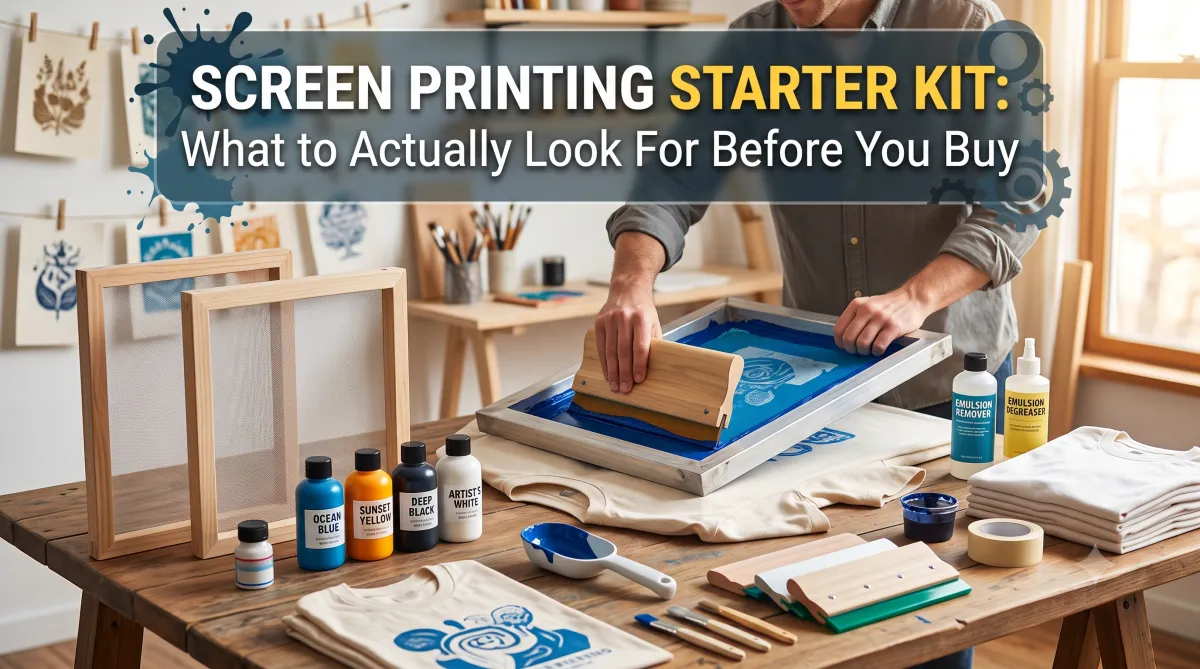
If you're just getting started, skip the "toy" kits that only give you pre-cut stencils — photo emulsion is the real technique used in actual print shops, and it's not much harder to learn, it just needs the right gear from the start. Look for a kit with a real screen frame, decent squeegee, and a full photo-emulsion setup (emulsion, sensitizer, remover, transparencies) rather than something that only works with hand-cut designs.
The Speedball Advanced All-In-One Screen Printing Kit is exactly that, and it's the one we'd point a first-timer to. It comes with a 10"x14" wooden screen frame, a fabric squeegee, four ink colors (black, red, white, blue), diazo photo emulsion, sensitizer, emulsion remover, transparencies for burning your design, an LED exposure lamp with clamp, and a full instruction guide — there's nothing else to buy to make your first exposed-screen print.
It's one screen, so you're printing one design at a time and reclaiming between designs (using the included remover), which is plenty for someone testing the waters or doing a handful of designs a month. If you're on the fence about screen printing at all, this is where to start — check the current price on Amazon and you'll know within a weekend whether this is for you.
Best for: Scaling Toward a Real Print Business
At this point you're not buying a "kit" anymore — you're buying a full production setup, and it's worth pricing components individually rather than trusting a bundle, since bundled "pro kits" often cut corners on the dryer, which is the piece most likely to bottleneck your output.
That said, the 4-Color 1-Station Screen Printing Press Bundle is one of the rare bundles that doesn't cut those corners. It covers the whole production chain in one purchase: a 4-color 1-station press, a flash dryer, an LED UV exposure unit, a screen drying cabinet, and a hand screen stretcher — plus a genuinely deep accessories kit (washout tank, scoop coaters, transparency film, three mesh counts of screen fabric, eight aluminum frames in two sizes, squeegees, emulsion, pigments, PVC inks, and even a few practice shirts to get you started).
If you're serious about taking on paying print jobs and don't want to piece together ten separate purchases to get there, see the full setup and current price — it's about as close to "everything to start a real shop" as one listing gets.
FAQ
Do I need an exposure unit to start screen printing?
No — you can hand-cut stencils or use pre-made ones for your first prints, but an exposure unit becomes worth it once you're printing regularly or want cleaner detail.
What's the difference between plastisol and water-based ink for beginners?
Plastisol is more forgiving (won't dry in the screen mid-print) and is the standard starting point; water-based gives a softer feel but requires more ventilation and technique.
How many shirts can you print with a basic starter kit?
There's no hard limit, but expect to outgrow a single-screen beginner kit once you're consistently printing more than one design a week.
Is screen printing cheaper than heat pressing for starting out?
Screen printing has a higher upfront cost but a lower per-shirt cost at volume — heat pressing is cheaper to start but doesn't scale as well for large runs.
Can I screen print at home?
Yes, plenty of people start in a garage or spare room — just plan for ventilation if you're using water-based inks, and space to let prints cure undisturbed.
When it's just not worth DIY-ing
Honestly — screen printing has a real learning curve, and there's a stretch where your prints won't look great yet no matter which kit you buy. If you need shirts that look professional right now — for a team, an event, or a business launch — WC Apparel screen printing services can get it done right the first time, no trial-and-error required and we deliver. And if you do want to learn, we're happy to answer questions; we've been doing this since 2000.